Date Metabox
The Herodotus Date metabox is the core element of every event — it's where you set the day, month and year.
Location
The metabox appears in the right sidebar of the post editor
when editing a herodotus_post.
Setting the Date
Day
- Select from 1 to 31.
- The plugin does not currently validate impossible dates (e.g., February 30) — use common sense when setting dates.
Month
- Select from January to December.
- Displayed in your WordPress admin language.
Year
- Enter the historical year of the event.
- This is a free-form number field.
- Used only for display (the "year badge") — not for matching.
- Examples:
1969,1789,476
Year Badge
The year you set appears as a visual badge overlaid on the event card image:
| Element | Description |
|---|---|
| Image | Featured image (full width) |
| Year Badge | The year number displayed as a badge in the corner of the image |
| Title | Event title below the image |
| Excerpt | Short description of the event |
This helps visitors immediately understand when the historical event occurred.
Leap Year: February 29th
You can set February 29th as the date. Be aware: - The event will appear only in leap years. - In non-leap years, the event is simply not displayed. - This is correct behavior — February 29 doesn't exist in non-leap years.
Warnings and Validation
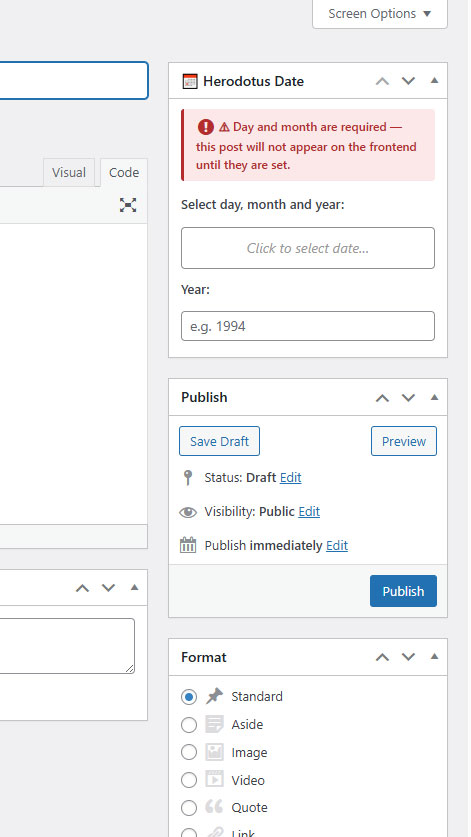
Red Warning in Editor
If day and month are not set, a red warning appears at the top of the metabox. If only the year is missing, a separate warning is shown. In both cases the event will not appear on the frontend.
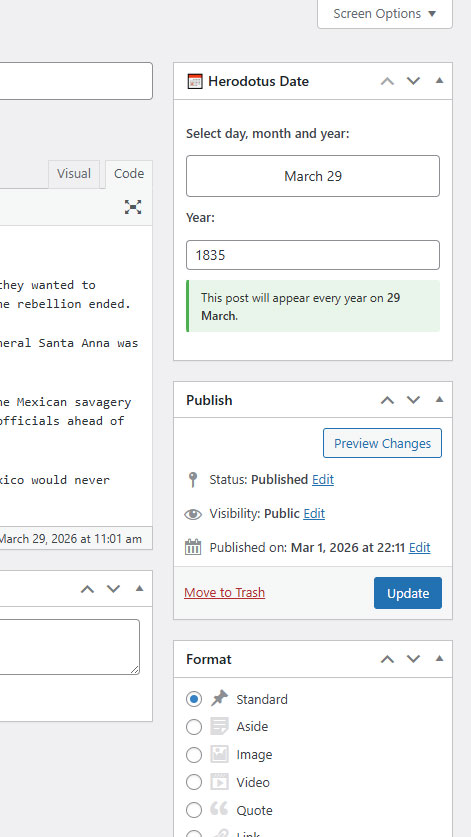
Metabox With All Fields Filled
Once day, month and year are set, a green confirmation message appears: "This post will appear every year on [day] [month]."
⚠ Icon in Posts List
In the admin list (Herodotus → All Events), the Herodotus Date and Year columns show a ⚠ icon for any event with missing date fields. To see this: create a post without setting the date and save it — the ⚠ will appear in the list.
What Happens to Incomplete Events?
Events with missing date data are never displayed on the frontend. They exist in the database but are invisible to visitors. This is a safety measure to prevent broken or dateless events from appearing.