Layouts
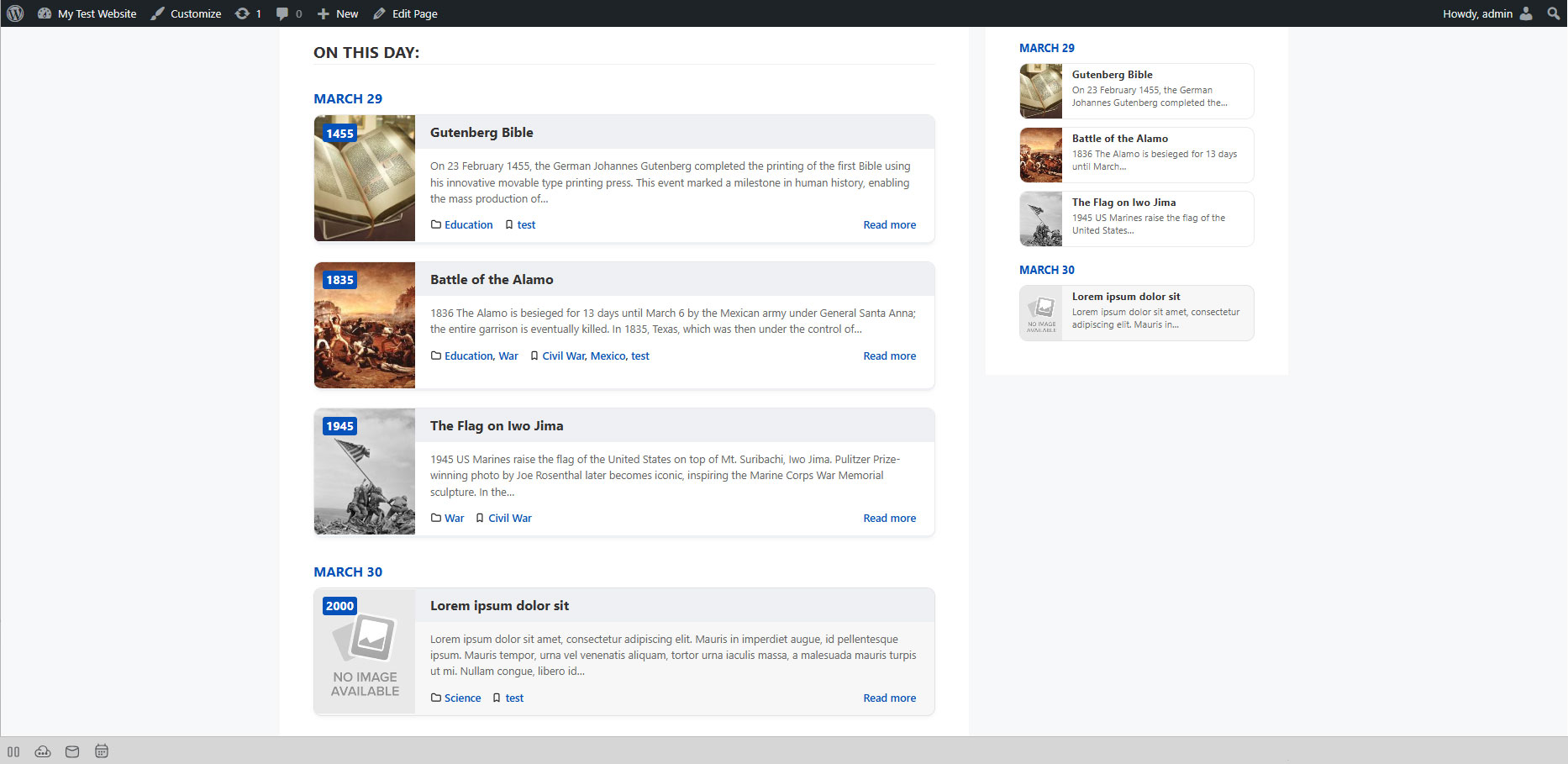
Herodotus offers two display layouts optimized for different contexts.
List Layout (Default)
[herodotus layout="list"]
Visual Structure
| Zone |
Content |
| Image |
Featured image (full width) |
| Year Badge |
Displayed as an overlay on the image (top-left corner) |
| Title |
Event title (linked to single post) |
| Excerpt |
Preview text (25 words by default) |
| Footer |
Category label (left) + Read more link (right) |
Best for:
- Main content areas
- Full-width page sections
- Dedicated "On This Day" pages
- Blog-like event listings
Compact Layout
[herodotus layout="compact"]
Visual Structure
| Zone |
Content |
| Image |
Small square thumbnail (left-aligned) — year badge overlaid in corner |
| Title |
Event title (linked to single post) |
| Excerpt |
Short preview text (10 words, fixed) |
Best for:
- Sidebars
- Widget areas
- Footer columns
- Any narrow container
Differences from List Layout
| Feature |
List |
Compact |
| Image size |
Full width |
Small square thumbnail |
| Year badge |
On image (overlay) |
On image (overlay) |
| Category label |
✅ Yes |
❌ No |
| Excerpt length |
25 words (global setting) |
10 words (fixed) |
| Read more link |
✅ Yes |
❌ No |
Choosing the Right Layout
| Context |
Recommended Layout |
| Main page content |
list |
| Sidebar widget |
compact |
| Footer area |
compact |
| Full "On This Day" page |
list |
| Homepage section |
Either (depends on design) |
| Narrow columns (< 300px) |
compact |