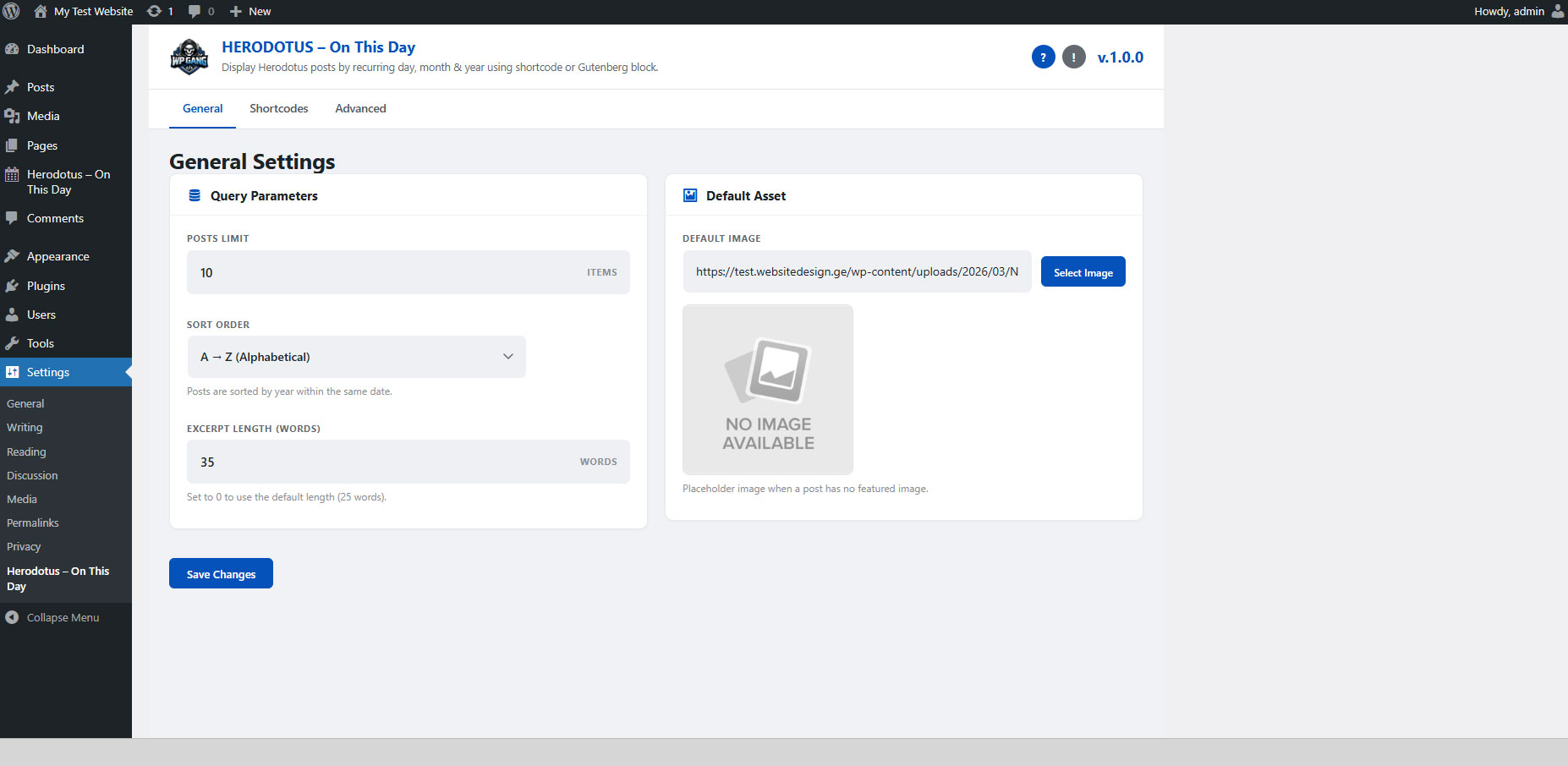
Settings Page
Navigate to Settings → Herodotus to configure global options.
General Settings
Posts Limit
- Default: 10
- Description: Maximum number of events displayed per
shortcode/block when no
limitattribute is specified. - Tip: Set a reasonable number to avoid very long pages if you have many events on the same date.
Sort Order
- Options: A → Z (ASC) | Z → A (DESC)
- Default: A → Z
- Description: Controls alphabetical sorting of events
within the same date. Can be overridden per shortcode with
the
orderattribute.
Excerpt Length (Words)
- Default: 25
- Description: Number of words shown in event excerpts. Can be overridden per shortcode with
excerpt_words. - Note: The compact layout always uses 10 words regardless of this setting, unless
excerpt_wordsis set explicitly in the shortcode.
Default Image
Custom Placeholder Image
- Description: When a Herodotus event has no featured image, this placeholder is shown instead.
- Default: Built-in "No Image" graphic.
- How to change: Click the upload button and select any image from your Media Library.
- Recommended size: At least 800×450 pixels.
- Tip: Choose an image that fits your site's branding.
If you use
show_image="false"in the shortcode, neither the featured image nor the placeholder will be shown.
Cache Settings
Cache Lifetime (seconds)
- Default: 3600 (1 hour)
- Description: How long query results are cached using WordPress transients.
- Set to 0: Disables caching entirely.
- Recommendations:
- Low-traffic site: 3600–86400 (1–24 hours)
- High-traffic site: 3600 (1 hour)
- During content creation/testing: 0 (disabled)
Advanced
Remove Data on Uninstall
- Default: Disabled (data is kept)
- Description: When enabled, ALL Herodotus data will be permanently deleted when you uninstall the plugin:
- All Herodotus posts
- All Herodotus categories
- All plugin settings
- All cached data
⚠ Warning: This action is irreversible. Only enable this if you are certain you want to completely remove all Herodotus data when uninstalling.