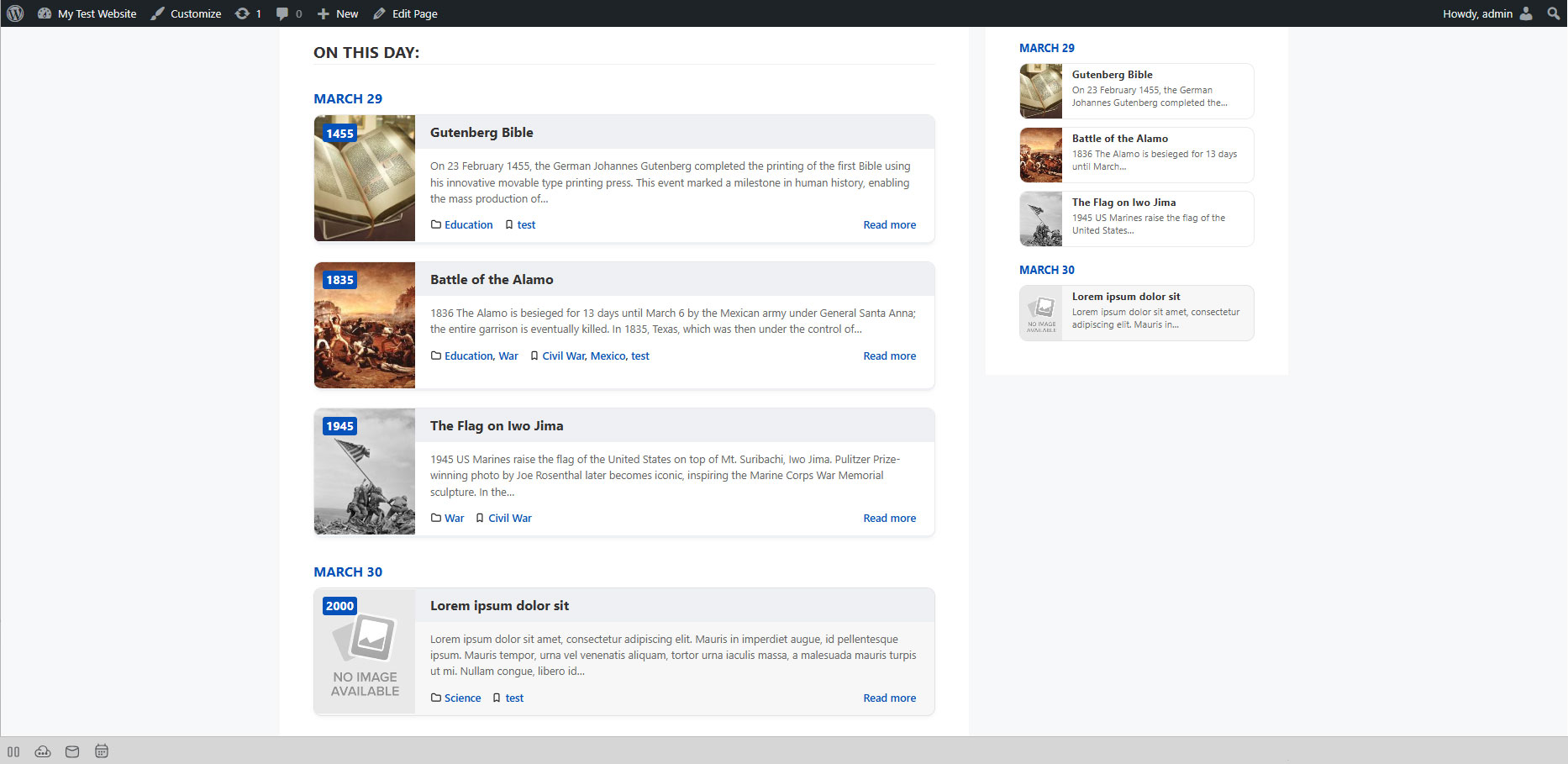
Displaying Events on Your Site
There are two ways to display today's Herodotus events:
Option 1: Shortcode
Add the following shortcode to any post, page, or text widget:
[herodotus]
This will display all events matching today's date.
Option 2: Gutenberg Block
- Edit any page or post in the block editor.
- Click the + (block inserter) button.
- Search for "Herodotus".
- Add the Herodotus Events block.
- Configure layout and other options in the block sidebar.
Where Can I Place Events?
- Regular Pages
- Posts
- Widget Areas (sidebar, footer)
- Page builder modules (Elementor, Divi, etc.)
- Any area that supports shortcodes or blocks