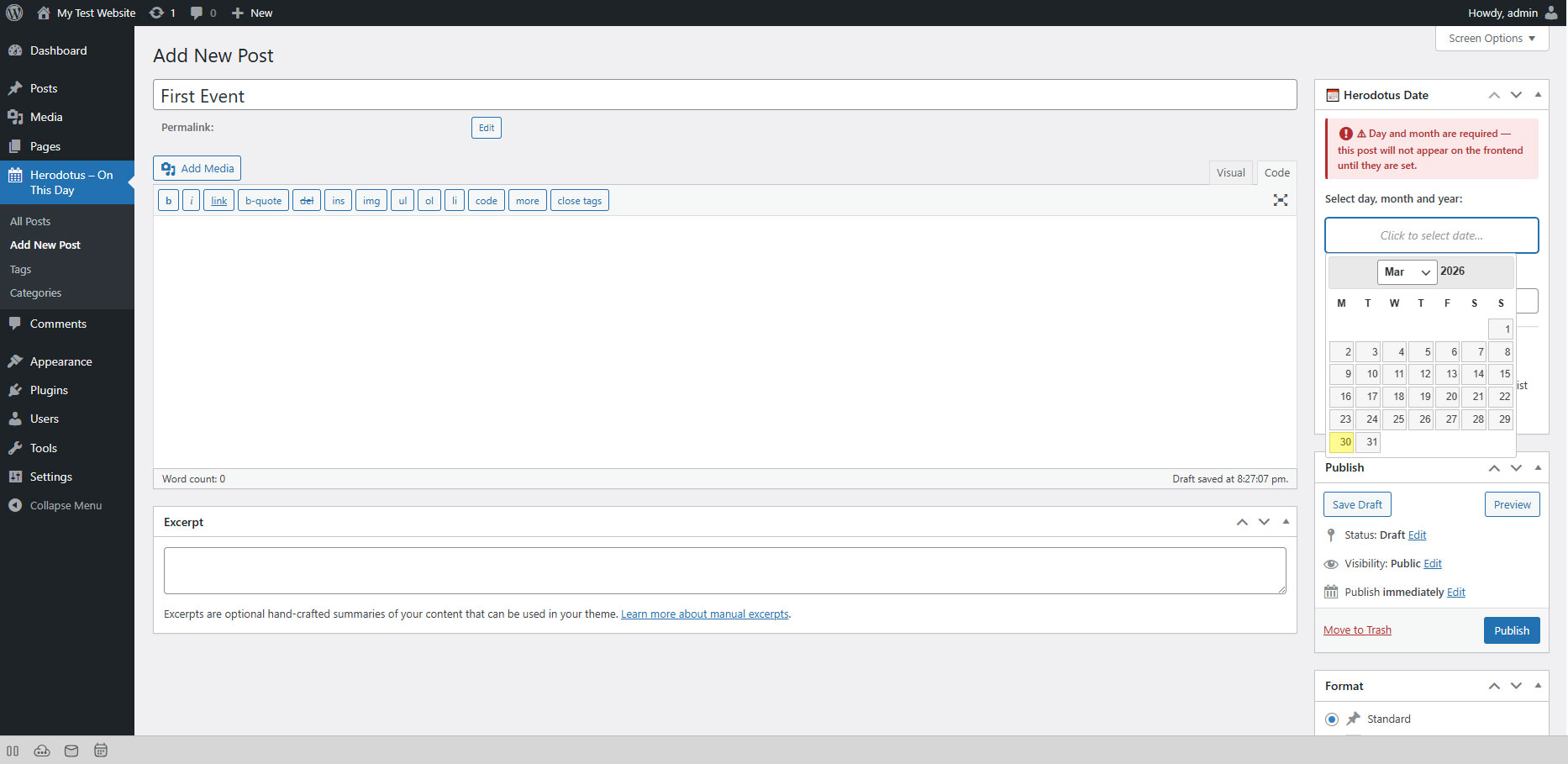
Creating Your First Event
- Go to Herodotus → Add New.
- Enter a title — for example: "The Moon Landing".
- Write your content in the editor — describe the event.
- In the right sidebar, find the Herodotus Date metabox.
- Select:
- Day: 20
- Month: July
- Year: 1969
- (Optional) Set a Featured Image — this will be displayed as the event thumbnail.
- (Optional) Assign a Category — for example, "Space".
- Click Publish.
Your event is now live and will automatically appear every July 20th.
Understanding the Date Fields
| Field | Required | Purpose |
|---|---|---|
| Day | ✅ Yes | The day of the month (1–31) |
| Month | ✅ Yes | The month (January–December) |
| Year | ✅ Yes | The historical year — displayed as a badge on the event card |
⚠ Important: All three fields are required. Day and month determine when the event appears. Year is required for the year badge — without it the event will not appear on the frontend. You will see a red warning in the editor and a ⚠ icon in the posts list.